
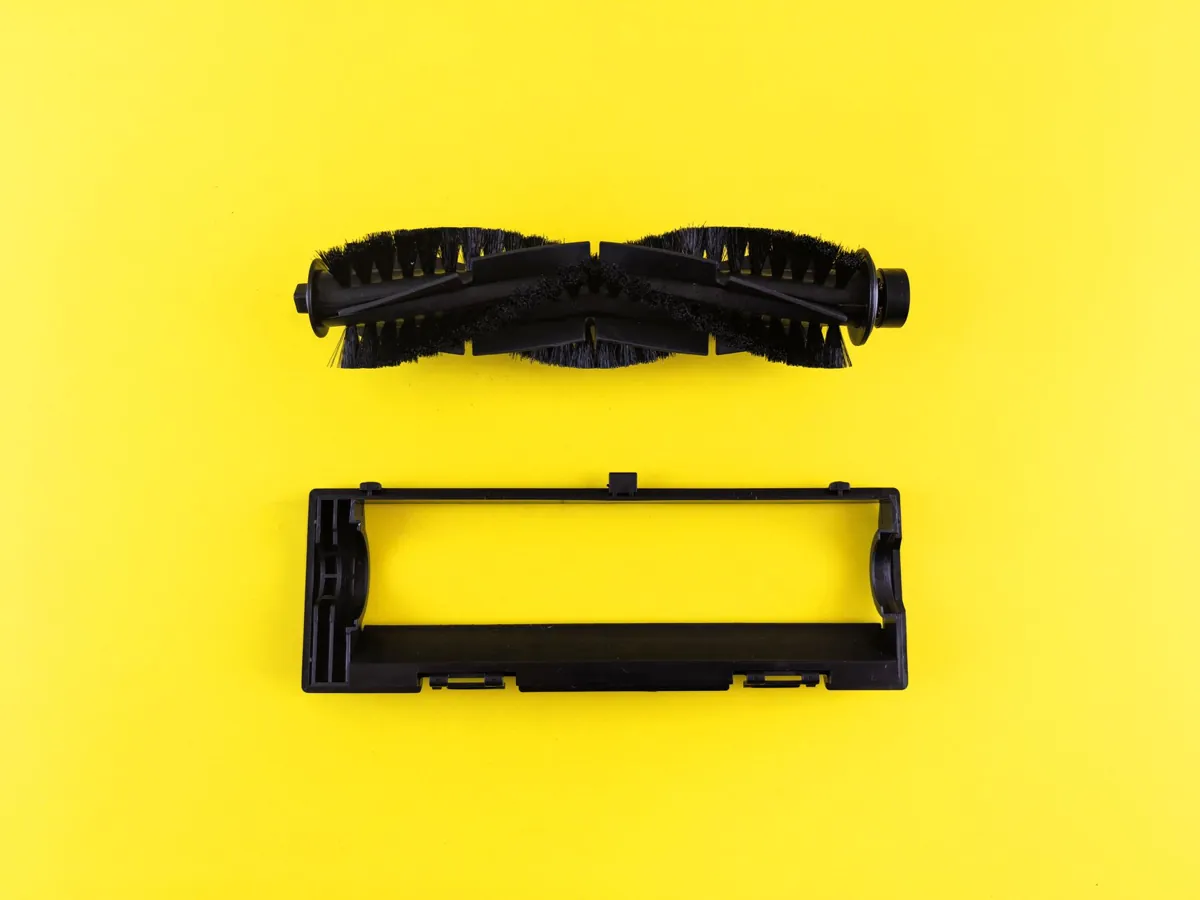
Shark Vacuum Brush Roll Not Spinning
If you’re dealing with shark vacuum brush roll not spinning, this guide covers the real causes and the fixes that work. If your Shark vacuum’s brush roll isn’t spinning, it could be due to a clog or the brush roll becoming unbalanced. Check for debris in the brush roll and ensure it is properly seated. If the issue persists, gently inspect the brush roll mechanism for any signs of damage or wear. Regular maintenance can help prevent such issues.
Why Shark Vacuum Brush Roll Not Spinning Happens
When your Shark vacuum’s brush roll stops spinning, it can be frustrating and affect cleaning performance. Here are some common reasons why this might happen:
-
Brush Roll Jammed: Debris such as hair, pet fur, or small objects can get stuck in the brush roll mechanism. Check for any blockages by gently removing the brush roll from its housing. Use a toothpick or thin wire to clear out any debris.
-
Worn Brush Roll: Over time, the brush roll may wear down and become less effective at spinning. If you notice that it is not moving freely, it might be due to wear. In this case, replacing the brush roll could resolve the issue.
-
Loose or Damaged Motor: The motor driving the brush roll can sometimes come loose or develop issues over time. Inspect the connections and ensure they are secure. If you suspect a damaged motor, consult a professional for repair or replacement.
-
Clogged Filter: A clogged filter can restrict airflow, causing the brush roll to spin slower or not at all. Regularly clean or replace your vacuum’s filters according to the manufacturer’s instructions to maintain optimal performance.
-
Loose Brush Roll Housing: The housing that holds the brush roll in place may become loose over time due to vibrations and use. Tighten any screws or secure fasteners to ensure a tight fit.
-
Faulty Control Board: In rare cases, issues with the control board can cause the brush roll not to spin. This is more complex and typically requires professional diagnosis and repair.
If you are unsure about how to address these issues, it’s best to consult your user manual or contact Shark customer support for specific guidance tailored to your model. Regular maintenance and cleaning will help prevent many of these problems from occurring.
How to Fix Shark Vacuum Brush Roll Not Spinning Step by Step
If your Shark vacuum’s brush roll is not spinning, it can significantly reduce the cleaning efficiency of your machine. Here’s a step-by-step guide on how to troubleshoot and fix this issue:
-
Check for Debris: First, inspect the brush roll area for any hair, lint, or other debris that might be causing blockages. Use tweezers or a small tool to carefully remove any obstructions.
-
Inspect Brush Roll: Once the brush roll is clear of debris, check if it is damaged or worn out. A broken or excessively worn brush roll can prevent proper spinning. If you notice damage, consider replacing the brush roll with a compatible replacement part from Shark’s official parts store.
-
Check Motor and Wiring: Ensure that the motor is functioning correctly by checking for any signs of wear or damage. Also, inspect the wiring connections between the brush roll and the motor to ensure they are secure and not frayed. Loose or damaged wires can prevent the brush roll from spinning.
-
Clean Filter: A clogged filter can affect the vacuum’s performance. Remove the filter and clean it thoroughly according to the manufacturer’s instructions. Ensure that the filter is properly reinserted into its housing.
-
Check for Foreign Objects: Sometimes, foreign objects like small toys or pet accessories can get stuck in the brush roll mechanism. Carefully check around the brush roll area for any such items and remove them if present.
-
Test Vacuum on Low Speed: Before fully engaging the high suction power, test the vacuum on a low setting to see if the brush roll spins. This helps determine whether the issue is related to the motor or the overall system settings.
By following these steps, you can effectively diagnose and resolve issues with your Shark vacuum’s brush roll not spinning. If problems persist after trying these solutions, it may be best to consult a professional repair service for further assistance.
Common Mistakes to Avoid
When using a Shark vacuum cleaner, particularly with its brush roll attachment, it’s important to avoid certain common pitfalls that can prevent the brush roll from spinning properly. Here are some key mistakes to watch out for:
-
Incorrect Attachment: Ensure you have correctly attached the brush roll to the appropriate cleaning tool on your Shark vacuum. Misalignment or improper fit can hinder the brush roll’s ability to spin.
-
Dirt and Debris Buildup: Over time, hair, dust, and other debris can accumulate around the brush roll, causing it to become clogged and stop spinning. Regularly clean the brush roll by removing any visible dirt with a soft-bristled brush or your fingers.
-
Brush Roll Not Properly Reset: After cleaning, make sure the brush roll is reset correctly. Some Shark models have specific mechanisms that need to be engaged for the brush roll to spin freely during operation. Refer to the user manual if you are unsure about this step.
-
Incorrect Vacuum Settings: Using your Shark vacuum on a setting that is too powerful can cause the brush roll to spin too fast and potentially damage it or prevent it from spinning altogether. Always start with a lower suction setting and gradually increase as needed.
-
Overloading the Tool: Do not overload the brush roll attachment with excessive amounts of debris. This can strain the motor and prevent proper operation. Clear out any large pieces before vacuuming smaller particles.
By avoiding these common mistakes, you can ensure that your Shark vacuum’s brush roll operates efficiently and effectively, enhancing your cleaning experience in the kitchen and beyond.
How to Prevent Shark Vacuum Brush Roll Not Spinning
To ensure your Shark vacuum’s brush roll spins smoothly in the future, follow these practical steps:
-
Regular Cleaning: Regularly clean the brush roll to remove hair, debris, and other particles that can get caught and cause it to stop spinning. Use a soft-bristled brush or a dedicated cleaning tool designed for this purpose.
-
Check for Blockages: Inspect the brush roll area frequently for any blockages. Common culprits include pet hair, lint, and small objects. Clear these out promptly to prevent damage to the motor or brush roll.
-
Proper Storage: Store your vacuum in a dry place when not in use. Moisture can cause electrical components to malfunction, including the brush roll motor. Ensure the unit is completely dry before storing it.
-
Avoid Overloading: Do not overload the vacuum with too much dirt and debris. This can put unnecessary strain on the brush roll and its motor, leading to premature wear or failure.
-
Use Suitable Accessories: Always use accessories that are compatible with your Shark model. Incorrect attachments can interfere with the brush roll’s function. Follow the manufacturer’s guidelines for proper accessory usage.
-
Routine Maintenance: Perform routine maintenance checks as recommended by the manufacturer. This may include lubricating moving parts or checking connections to ensure everything is functioning correctly.
By adhering to these practices, you can significantly reduce the likelihood of your Shark vacuum’s brush roll stopping and maintain optimal cleaning performance over time.
Frequently Asked Questions
Q: Why is my Shark vacuum’s brush roll not spinning?
A: The brush roll may not be spinning due to a clog in the brush itself or an issue with the motor. Check for any debris that might be blocking it and ensure the motor belt, if present, is intact.
Q: Can I clean the brush roll on my Shark vacuum myself?
A: Yes, you can remove the brush roll from your Shark vacuum and clean it manually using a soft brush or compressed air to clear out any hair, dust, or other debris that might be obstructing its movement?
Q: How do I know if the motor in my Shark vacuum is faulty?
A: If the brush roll consistently fails to spin after clearing any clogs, there may be an issue with the motor. You can test this by checking for any unusual noises or vibrations during operation and consulting the user manual for troubleshooting steps.
Q: Is it safe to try cleaning the brush roll myself if I suspect a motor problem?
A: It is generally safe to clean the brush roll yourself, but proceed cautiously. If you are unsure about your ability to safely disassemble the vacuum or if the issue persists after cleaning, consider contacting Shark customer support for assistance.
